Enjoy the moment. Let Tabi handle the bills.
Snap a receipt and AI reads every line item for you. Split fairly with your group, then settle up with the fewest payments possible.
Scan.Split.Settle.

See Tabi in action
A quick tour of scanning a receipt with AI, splitting item-by-item, and settling up with the fewest payments.

Splitting a trip shouldn't take four apps.
A calculator here, a notes app there, a group chat, and a banking app. Tabi does it all in one — built on transparency and integration, so everyone stays on the same page.
From messy receipts to squared up

Create & invite
Start an event for the trip or dinner, then invite the group from your contacts or a shared link. Everyone adds and sees expenses together.

Add in minutes
Type an expense in seconds, or Quick Scan a receipt and let AI read the items, prices, and tax for you. Split evenly, or item-by-item.

Settle with ease
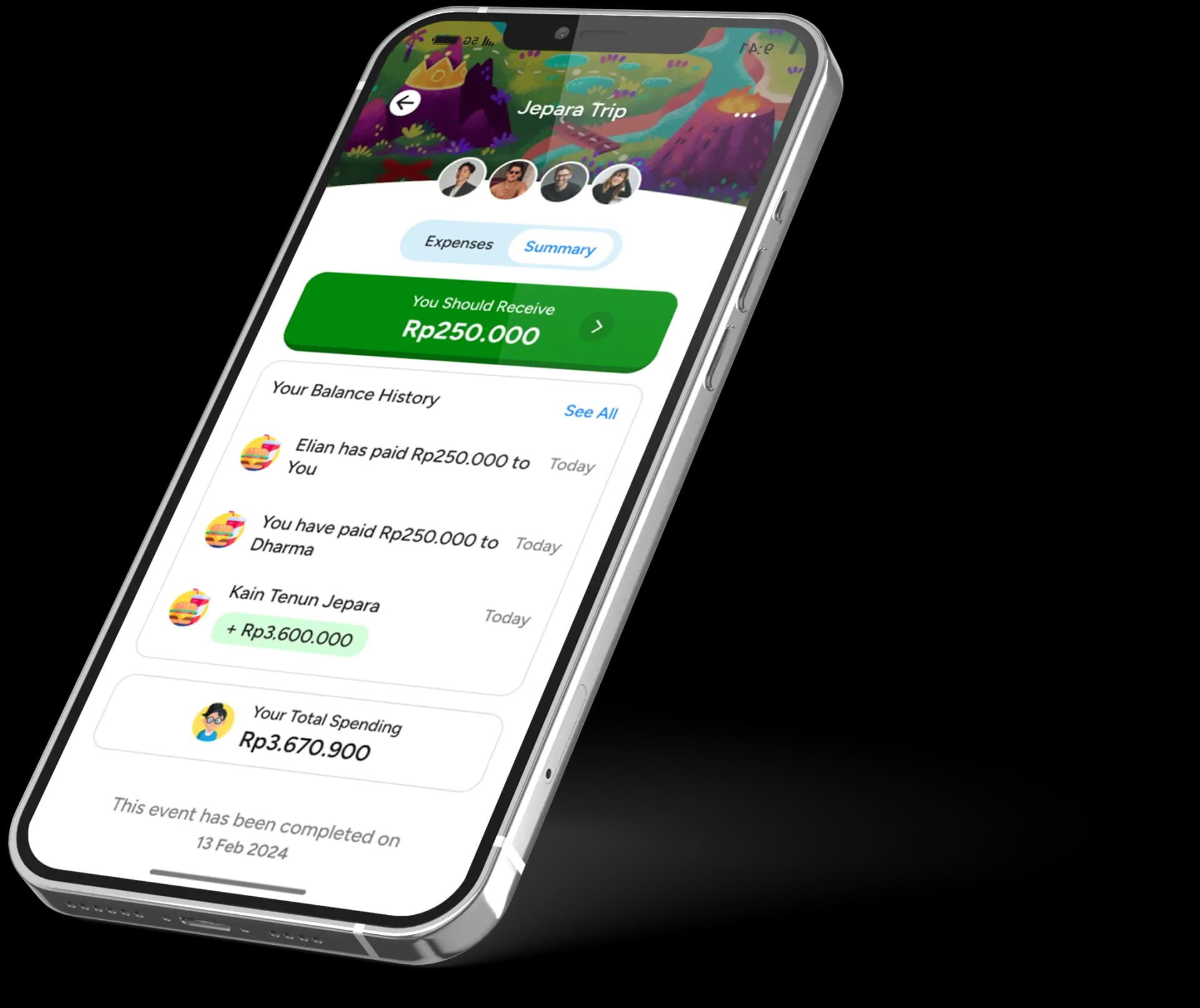
Tabi calculates each person's balance and the fewest transfers to settle. No more back-and-forth, no unnecessary payments.
Snap the receipt. AI reads the items.
Point your camera at a receipt. Tabi straightens it, reads the text, then an AI model turns those messy lines into clean items with names, quantities, and prices — ready to assign to whoever actually ordered it.
- AI fixes misread names, quantities, and prices
- Item-by-item splitting, not just even shares
- Tax, service, and discounts handled for you
- Add expenses in under 5 minutes
The fewest payments to settle everyone.
If Ana owes Budi and Budi owes Citra, Tabi cancels the middle step so Ana just pays Citra. One clean transfer instead of a tangle — less confusion, fewer awkward reminders.

Built to keep the group in sync
Collaborate
Invite the whole group. Everyone adds expenses and sees the running total — you're not the group accountant anymore.
AI receipt scanning
Snap a receipt and AI extracts every item, quantity, and price — plus tax and service — ready to split.
Custom item splits
Assign each item to only the people who had it, plus tax and service.
Smart optimization
Tabi computes the minimum set of transfers so settling is painless.
PDF export
Share the full breakdown and settlement plan as a clean PDF.
Guest mode
No account needed to start. Your events save on-device and sync when you sign up.
Groups are splitting the smart way
Tinggal masukin nama acaranya, foto bill-nya, pilih temen, invite — bisa ambil dari kontak DAN nambah nama manual. Otomatis keluar itungannya. Akhirnya ada app khusus buat split bill, jadi nggak ribet campur sama chat 🥲
@natashayelizaveta
Honestly, it's an app for a simple matter but it definitely makes things easier when you go out with your friends.
@zhngmario
With its focus on convenience, TABI is a must-have for anyone looking to simplify group expenses. Try it and experience stress-free bill splitting! 👌🏻
@aqilahjf
Been waiting a long time for an app like this, and it's actually very helpful.
@Rezonrex
I really like the UI, it's very cute and has animation. Very cool 👍👍
@MrS124@
Love the friendly interface and so much more to explore.
@Feerroy
Split bill menjadi lebih mudah dengan Tabi!
@Agfi05
Try it now — no sign-up needed
Jump in as a guest and start splitting. Your events are saved and sync automatically the moment you make an account.
How does the optimized settle-up work?
Tabi analyzes every debt in the group and finds the minimum number of transfers to settle. If you owe several people, it cancels out the middle steps so you make fewer, cleaner payments.
How does the AI receipt scanning work?
Your iPhone reads the receipt text on-device first. Tabi then sends just those text lines — never the photo — to an AI parser that turns them into clean items with names, quantities, prices, tax, and service, fixing any misreads along the way. You review and edit everything before splitting.
Can I use Tabi for events other than trips?
Absolutely. It's great for travel, but works for any shared expense — roommates splitting bills, dinner outings, group gifts, or long-term events.
Can I split bills unequally?
Yes. Split evenly, by percentage, by exact amounts, or item-by-item — and exclude anyone who didn't join a particular expense. Tax and service are handled for you.
What if someone doesn't pay their share?
Everyone in the group can see who has and hasn't settled, so balances stay transparent. No more awkward chasing — the numbers speak for themselves.
How do I add people to a group?
Create an event and invite people from your contacts or with a shareable link — they can even be added by name manually. Start splitting right away.
Do I need an account to start?
No. Jump in as a guest and your events save on-device, then sync automatically the moment you make an account.

Scan, Split, Settle.
Download Tabi and let AI read the receipts and do the math for your next trip or hangout.
 Scan to download